

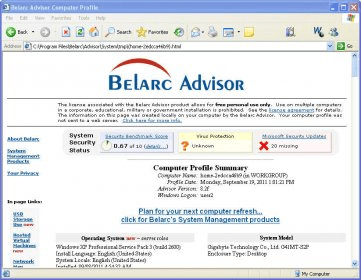
Belarc Advisor is a tool that can analyze your computer in a very detailed manner. The best thing about this program is that it does not need to send your computer profile or details to any external server to perform the analysis, thus safeguarding your privacy.Belarc Advisor is a completely free tool that can analyze your computer in a very detailed manner. The best thing about this program is that it does not need to send your computer profile or details to any external server to perform the analysis, thus safeguarding your privacy. It is very easy to use, as you only need to run the executable file provided and in a few seconds you will have a complete detailed HTML report up in your computer's default browser.
The analysis covers various aspects, such as the software installed and the version used, a virus protection status, a Microsoft Security update status, details about your operating system, and detailed information on your system’s hardware (including processor, motherboard, drives, memory, etc.). It also analyzes a number of network computers and devices, such as printers attached to the network.
When network devices and computers are present, it also enables you to find more about a physical address. While checking the versions of each software tool, it will also give you a complete report on the usage of each software application, letting you know when each was last used. Finally, it is important to note that it can give you highly indicative information about missing or installed security fixes for Microsoft products. more






Comments (20)